Asset management in V-Desk
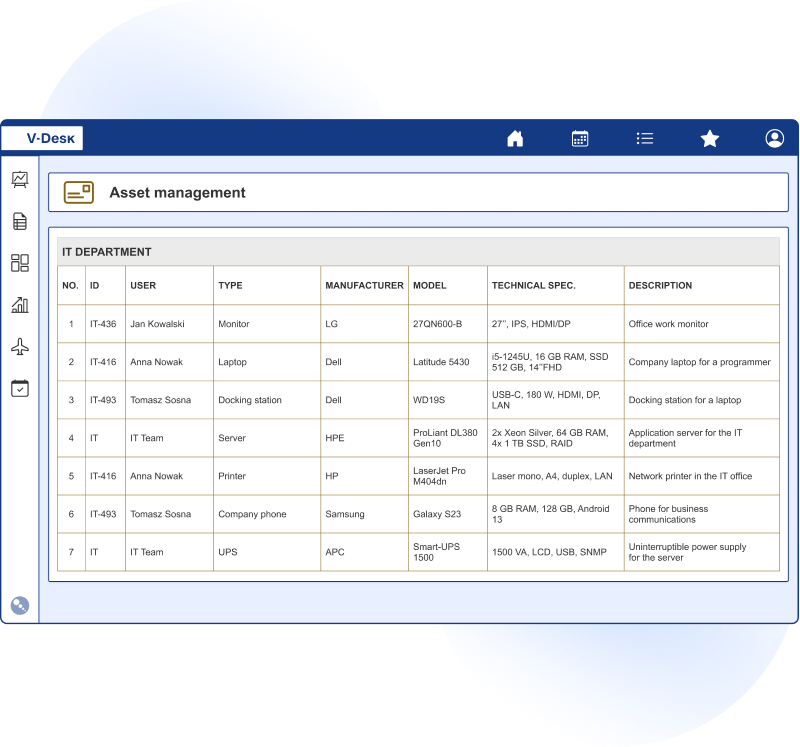
The fixed asset management application provides a complete overview of all company assets. This intuitive and easy-to-use tool gives you access to information at your fingertips, allows you to record, keep records of fixed assets in one central place digitally.

Are you familiar with these problems concerning the management of the company’s fixed assets?
Overcrowded catalogues, time wasted looking for fixed asset documents
The digital catalogues are equipped with mechanisms to facilitate data filtering, as well as full-text searching, which reduces the time it takes to find information with a single click. In addition, features such as OCR will speed up document registration.
Supervision of important periodic events on the subject of fixed assets
Practical reminder and alert functions ensure that the tasks and deadlines associated with a measure are not overlooked.
The data collected in the system will allow the generation of depreciation and write-off plans.
Lost documents or incomplete information on existing fixed assets
In the record-keeping process, meticulous preparation of documents is important. It is imperative that all necessary information on individual fixed assets is documented. Record-keeping should be flawless in order to count on the possibility of depreciating costs.
What do you gain by choosing the fixed asset management module in V-Desk?

automation of fixed asset accounting operations
access to always up-to-date data on the company’s inventory and equipment, depreciation status
storage of information on assets and financial history
helpful tool for e.g. audits
access to data such as e.g. date of purchase, cost, depreciation rates, specifications
putting equipment management in order
From purchase to disposal – the asset lifecycle
With V-Desk, you can organize the entire lifecycle of a fixed asset in one place — without spreadsheets, emails, or manual data re-entry. The system supports both simple asset records and more complex scenarios where an asset moves between multiple locations, users, and events. In practice, this includes:
- registering the purchase and source documents (invoice, contract, warranty, manuals),
- preparing and approving the OT document / commissioning for use,
- assigning the asset to an organizational unit, location, and responsible person,
- handling transfers, handovers, and temporary equipment assignments,
- recording inspections, maintenance, and recurring events (with automatic alerts),
- compiling documentation for audits and inspections,
- closing the asset history: sale, disposal, or withdrawal from use along with required protocols.
All changes are recorded in the asset’s history, so you always know: where the asset is located, who is using it, and what costs or events are associated with it. This significantly reduces the time needed to prepare reports, simplifies settlements, and minimizes the risk of missing documentation.
Fixed Asset Management in V-Desk and V-Desk GA
A turnkey solution is available on the V-Desk GA platform. It will meet the needs of typical fixed asset management processes.
For more complex and demanding processes, experienced analysts will help tailor and configure a dedicated solution.
Faster, error-free Inventory, labeling, and asset reporting
Company asset valuation and condition tracking is not just about accounting — it also involves logistics and responsibility. That’s why the fixed asset module can be extended with practical inventory support, from labeling items to reconciling discrepancies.
A good starting point is standardizing asset identification, for example with barcode or QR code labels. Scanning speeds up physical inventory checks and reduces errors caused by manual entry of asset numbers.
From an administrative perspective, you gain:
ready-made inventory lists for locations and departments,
reconciliation reports: found / not found / to be explained,
approval workflows and discrepancy reports,
the ability to quickly complete documentation (photos, attachments, notes).
Data collected in V-Desk can also be used for operational reports such as asset lists by location, user, group, or status, as well as for replacement budget planning. When needed, you can quickly retrieve the history of a specific asset, along with the full set of documents and approval confirmations. Access to information can be restricted through permissions, so individual departments see only their own assets, while administrators maintain a full overview of company property.
If you already use an ERP system, V-Desk can exchange data with it to avoid duplicate data entry and maintain consistent records. This is particularly important for depreciation, cost allocation, and periodic financial data updates. You can also set reminders for inspections, expiring warranties, or insurance so responsible staff receive notifications before deadlines become an issue.
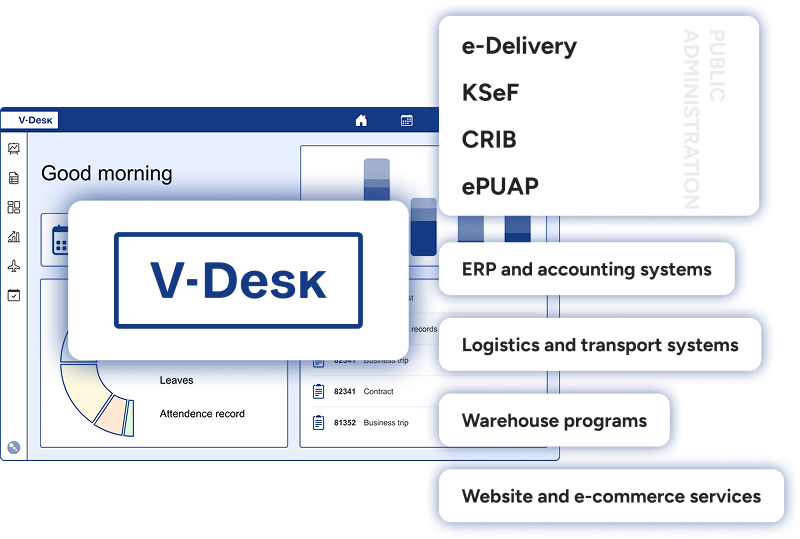
We will integrate V-Desk into your ERP system
The advantage of the V-Desk system is that it can be integrated with virtually any IT system. There is no company on the market that does not already use some software. The whole magic is to integrate any software used in the company with V-Desk in such a way as to improve the business processes in the organisation.